
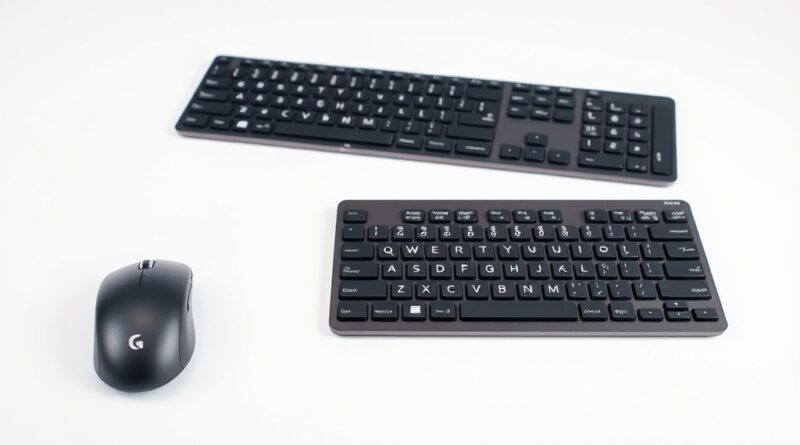
Wireless Keyboards and Mice Worth Your Money in 2026: A Guide
In an age where most of our daily tasks are performed on a computer, having the right accessories can significantly enhance your productivity and comfort. For professionals and casual users alike, investing in a quality wireless keyboard and mouse combo not only improves the overall efficiency but also caters to ergonomic needs. As we step into 2026, two standout contenders in this space are the Logitech MX Mechanical Combo and the Razer Pro Type Ultra. Both promise exceptional performance, but which one offers the best value for your money? Let’s dive into the details.
Key Features and Specifications
This year, wireless keyboard and mouse options have exploded with advanced features. Here’s a detailed look at the top models:
- Logitech MX Mechanical Combo: This combo includes the Logitech MX Mechanical keyboard paired with the Logitech MX Master 3S mouse. The keyboard features tactile switches for responsive typing, a compact design, and versatile connectivity options (Bluetooth and USB receiver). The mouse is designed for productivity with a comfortable grip and customizable buttons.
- Razer Pro Type Ultra: A premium keyboard known for its silent mechanical switches, the Pro Type Ultra emphasizes a noiseless typing experience while maintaining performance. It also features an ergonomic wrist rest, customizable backlighting, and multiple pairing options.
- Logitech MX Master 4: When it comes to ergonomic mice, the MX Master 4 is highly regarded for its comfortable design, advanced tracking capabilities, and customizable button functions, perfect for heavy multitasking users.
Pros and Cons
Logitech MX Mechanical Combo
- Pros:
- Ergonomic design reduces strain during prolonged use
- High-quality mechanical switches enhance typing experience
- Versatile connectivity with Bluetooth and USB receiver options
- Exceptional battery life, allowing for extended usage without frequent charging
- Mouse is designed for productivity with customizable buttons
- Cons:
- Premium price point may be a barrier for budget-conscious users
- May not suit users who prefer a quieter typing experience
Razer Pro Type Ultra
- Pros:
- Silent mechanical switches ideal for office settings
- Ergonomic wrist rest included for added comfort
- Customizable backlighting for personal touch
- Multiple connectivity options make it versatile for different devices
- Cons:
- Some users report it lacks the tactile feel of traditional mechanical switches
- Price can be high compared to other wireless keyboards
Real-world Usage Scenarios
Choosing a wireless keyboard and mouse depends heavily on your personal usage scenario. Here are a few real-world applications of both products:
- Office Work: For professionals who spend hours typing reports and emails, the Logitech MX Mechanical Combo is an ideal choice with its ergonomic design and satisfying tactile feedback. Users often report less discomfort during long typing sessions compared to traditional keyboards.
- Games and Multi-tasking: While the Razer Pro Type Ultra is crafted for silence, it also excels in multi-tasking environments where quick responses are key. Gamers can benefit from its fast switch response and customizable features.
- Travel: If portability is essential, both options are relatively compact for travel. Nevertheless, the MX Mechanical Combo might edge out slightly due to its robust build quality and long battery life, making it a dependable travel companion.
Price Comparison
When considering these models, it’s important to look at the price tiers:
- Budget Tier:
- There are several wireless keyboard and mouse combos available on the market, such as the Logitech K380 and M330, priced around $50-$80. While lacking in premium features, they provide decent performance for casual users.
- Mid-tier:
- Products like the Razer Pro Type (not Ultra) and Logitech MK850 Live Combo fall within $100-$150. They offer a balance of performance and ergonomics suitable for most users.
- Premium Tier:
- The Logitech MX Mechanical Combo and Razer Pro Type Ultra, typically priced between $150 and $250, deliver exceptional ergonomics, advanced features, and exceptional performance but come at a higher investment.
Verdict and Recommendations
Choosing between the Logitech MX Mechanical Combo and the Razer Pro Type Ultra ultimately comes down to personal preference and specific use cases. The MX Mechanical excels in ergonomic design and tactile feedback, making it perfect for users who prioritize comfort during heavy typing. On the other hand, the Razer Pro Type Ultra’s silent switches and additional features cater well to office environments where noise is a concern.
If budget is a primary concern and you’re looking for good performance without breaking the bank, consider exploring mid-tier options that strike a balance between quality and cost. However, if you fall into the premium category and want a more immersive experience, the Logitech MX Mechanical Combo emerges as a top recommendation.
In summary, investing in either high-quality wireless keyboard and mouse combo will support your productivity while ensuring comfort. It all comes down to your specific needs, so weigh your options carefully and choose accordingly.
Disclosure: This post contains affiliate links. We may earn a commission at no extra cost to you. | Hinweis: Dieser Beitrag enthält Affiliate-Links. | Nota: Questo post contiene link affiliati.