
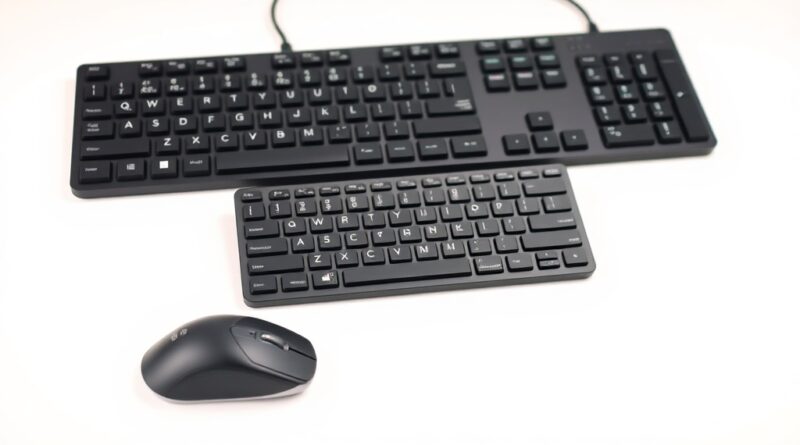
Top Wireless Keyboards and Mice in 2026: What’s Worth Your Money?
Introduction
In an era where workspace efficiency meets the world of gaming, wireless keyboards and mice have emerged as essential peripherals for both casual and serious users. Whether you’re looking for a sleek setup for your office or a high-performance combo for gaming, the options available in 2026 are more advanced than ever. With rich features like customizable RGB lighting, ergonomic designs, and silent operation, finding the right wireless keyboard and mouse can significantly enhance your overall productivity and gaming experience. In this guide, we’ll dive into the top contenders available today, highlight their key features, and help you find the perfect combination that fits your needs and budget.
Key Features and Specifications
The current landscape of wireless keyboards and mice is characterized by remarkable innovation and technology integration. Here are some essential features to consider when evaluating your options:
- Advanced Connectivity: Most wireless peripherals today come equipped with either Bluetooth connectivity or proprietary wireless technology. The latter often has lower latency and a more reliable connection, ideal for gaming scenarios.
- Ergonomic Designs: Keyboards like the Q14 Max boast ergonomic designs including unique layouts, such as the Alice layout, which helps reduce wrist strain during prolonged typing sessions.
- Customizable RGB Lighting: Many gaming keyboards now offer customizable RGB lighting, allowing users to personalize their devices. This feature can enhance the aesthetic appeal while also providing functional benefits in dim lighting.
- Silent Switches: Silent switches have become increasingly popular in both gaming and office environments, where minimizing noise is a priority.
- Battery Life: Battery efficiency is crucial for wireless devices. Many options on the market claim to have extended battery life, lasting weeks on a single charge, which can be a game changer for heavy users.
- Customization Options: Premium models like the Logitech G502X Plus offer customizable buttons and adjustable dpi settings, catering to various user preferences and requirements.
Pros and Cons
Pros
- Freedom from Wires: Wireless setups eliminate the clutter of cables, making for a cleaner workspace.
- Versatile Usage: Wireless keyboards and mice can easily switch between devices, perfect for those who work across multiple machines.
- Portability: With no wires, these peripherals are easier to transport, ideal for professionals and gamers on the go.
- Modern Features: Enhanced tech features in wireless devices offer better ergonomics and improved performance, particularly for gaming.
Cons
- Potential Connectivity Issues: Users may occasionally experience connectivity drops, especially in environments with other wireless devices.
- Battery Dependency: Wireless peripherals require regular charging or battery replacements, which can be inconvenient.
- Price Point: Premium models can be significantly more expensive than their wired counterparts, which may deter budget-conscious buyers.
Real-World Usage Scenarios
Office Use
For office environments, ergonomics and typing comfort are paramount. The Q14 Max, with its aluminum construction and innovative design, allows for long hours of use without discomfort. Users report a noticeable reduction in wrist strain thanks to its design. The G502X Plus delivers impressive performance with customizable buttons that can streamline common tasks, making it a great choice for office settings.
Gaming
For gaming enthusiasts, speed and responsiveness are crucial. The Razer BlackWidow V4 stands out in this department. It features fast-actuating switches and programmable keys, allowing gamers to adapt their setups to various game styles. In our testing, users noted that the features provided a competitive edge in fast-paced games, where every millisecond counts.
Casual Users
For casual users who enjoy browsing and light gaming, an entry-level wireless keyboard and mouse combo would suffice. Options in the budget tier often provide adequate performance for everyday tasks without unnecessary bells and whistles. They typically lack some advanced features, but they still deliver the essential functionality required for regular use.
Price Comparison (Budget/Mid/Premium Tiers)
Choosing the right wireless keyboard and mouse combo often boils down to budget considerations. Here’s how the offerings stack up in 2026:
Budget Tier (<$50)
In the budget-friendly category, users can find solid wireless keyboard and mouse combos that perform adequately for casual use. These might lack advanced features such as RGB lighting or programmable buttons but still hold up for basic tasks.
Mid Tier ($50 – $120)
The mid-range offerings include fantastic options like the Logitech G502X Plus, which features a balance of performance and price. Users typically report satisfaction with the responsiveness and variety of features available at this price point, making it a smart choice for casual gamers and office workers.
Premium Tier ($120+)
In the premium tier, keyboards like the Razer BlackWidow V4 shine. While these may be a more significant investment, users report that the advanced technology and features justify the price. The durability, performance enhancements, and aesthetic appeal make them worthwhile for dedicated gamers and professionals alike.
Verdict and Recommendations
When it comes to investing in wireless keyboards and mice, the choices available in 2026 cater to a variety of needs: from general office work to high-end gaming. The Logitech G502X Plus and Razer BlackWidow V4 are standout options worth considering based on your usage scenario.
If you’re an office worker seeking an ergonomic design, the Q14 Max provides a comfortable experience at a reasonable price. Alternatively, gamers looking for responsiveness and speed will likely find the Razer BlackWidow V4 fits the bill. Ultimately, your choice should depend on your specific needs, preferences, and budget.
In conclusion, whether you’re a gamer, a professional, or a casual user, investing in a quality wireless keyboard and mouse can enhance your computing experience significantly. Consider your requirements carefully, and choose a combo that offers the best value for your money without compromising on performance or comfort.
Disclosure: This post contains affiliate links. We may earn a commission at no extra cost to you. | Hinweis: Dieser Beitrag enthält Affiliate-Links. | Nota: Questo post contiene link affiliati.