
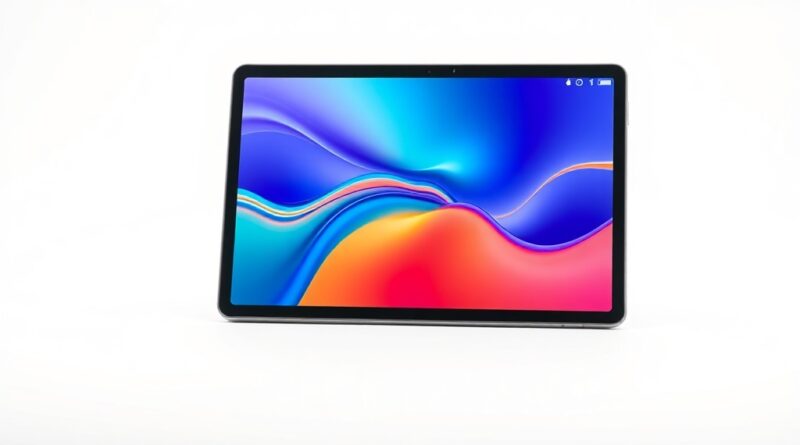
Top Tablets for Students in 2026: Productivity Meets Performance
In 2026, students are seeking devices that enhance their learning experiences, balancing productivity with entertainment. The demand for versatile tablets has never been higher, and among the top contenders are the Apple iPad Air M3, Samsung Galaxy Tab S10 FE+, and Microsoft Surface Pro 2024. Each of these devices provides unique strengths tailored for the student lifestyle. In this guide, we’ll explore their key features, pros and cons, real-world usage scenarios, and more to help you make an informed decision.
Key Features and Specifications
Apple iPad Air M3
- Processor: M3 Chip for powerful performance
- Display: 10.9-inch Liquid Retina display with True Tone
- Operating System: iPadOS 17 with multitasking capabilities
- Accessories: Compatible with Apple Pencil (2nd generation) and Magic Keyboard
Samsung Galaxy Tab S10 FE+
- Processor: Snapdragon 8 Gen 2 for fantastic speed
- Display: 12.4-inch Super AMOLED display, vibrant colors
- Operating System: Android 14 with full multitasking support
- Accessories: Includes S Pen for note-taking and drawing
Microsoft Surface Pro 2024
- Processor: Intel Core i5/i7 for seamless Windows experience
- Display: 13-inch PixelSense touchscreen
- Operating System: Windows 11 optimized for productivity
- Accessories: Optional Type Cover and Surface Pen available
Pros and Cons
Apple iPad Air M3
- Pros:
- Exceptional app ecosystem for students
- Lightweight and portable design
- Strong processing power ideal for multitasking
- Cons:
- Accessories sold separately
- Limited customization options compared to traditional laptops
- Pros:
- Stunning display quality
- Great for media consumption and creative tasks
- Includes S Pen for enhanced productivity
- Cons:
- Apps can sometimes be less optimized than on iPad
- Battery life varies with heavy usage
- Pros:
- Full Windows 11 experience
- Excellent for multitasking with multiple windows
- Can replace a laptop for most tasks
- Cons:
- Heavier than typical tablets
- Premium price for accessories like the Type Cover
- Note-Taking:
The Apple iPad Air M3 and Samsung Galaxy Tab S10 FE+ excel in note-taking scenarios. The Apple Pencil and S Pen make writing and drawing intuitive, allowing students to jot down lecture notes or sketch diagrams with ease. - Studying:
For studying purposes, the iPad’s app ecosystem offers excellent tools like Notability or GoodNotes, while the Galaxy Tab provides a vibrant display ideal for reading PDFs or eBooks. The Surface Pro is particularly strong for students who need to access legacy software or applications, given its full Windows support. - Media Consumption:
All three devices are suitable for watching movies and shows. The Samsung’s Super AMOLED display is particularly vibrant, while the iPad’s Liquid Retina is also very sharp. The Surface Pro, with its larger interface, is excellent for multitasking during media playback while taking notes. - Budget Tier:
Generally, the Samsung Galaxy Tab S10 FE+ offers the best value for students seeking a balance between performance and price. - Mid Tier:
The Apple iPad Air M3 sits in the mid-price range but delivers premium features and performance that often justify the cost. - Premium Tier:
The Microsoft Surface Pro 2024 is a significant investment but targets students needing a full-fledged PC experience. - If you prioritize portability and access to a broad range of productivity apps, the Apple iPad Air M3 is hard to beat.
- For media consumption and creative tasks, the Samsung Galaxy Tab S10 FE+ shines with its stunning display and included S Pen.
- If you require a full Windows experience for more complex tasks, the Microsoft Surface Pro 2024 is an excellent choice, albeit at a higher cost.
Samsung Galaxy Tab S10 FE+
Microsoft Surface Pro 2024
Real-World Usage Scenarios
Price Comparison
Verdict and Recommendations
When choosing a tablet for student life, consider your primary needs:
Ultimately, each of these tablets has its strengths and weaknesses, and your choice should reflect personal preferences and academic needs. Make sure to consider your budget and specific use cases to find the best fit for your student lifestyle.
Disclosure: This post contains affiliate links. We may earn a commission at no extra cost to you. | Hinweis: Dieser Beitrag enthält Affiliate-Links. | Nota: Questo post contiene link affiliati.