
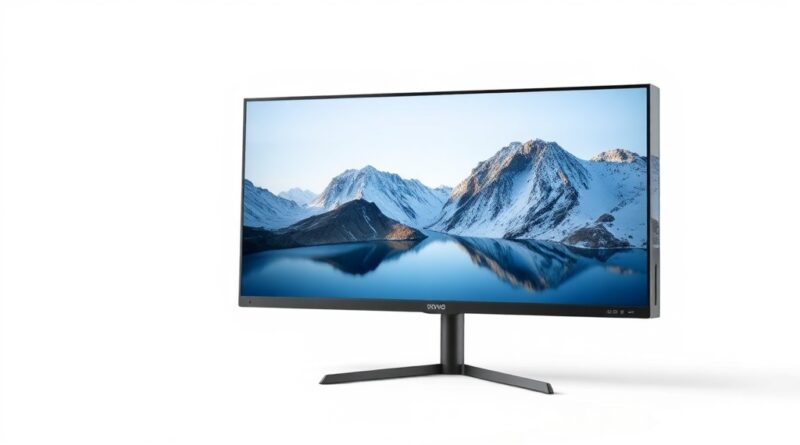
Top Budget Monitors for Work and Gaming in 2026: Expert Review
Introduction: Finding the Perfect Budget Monitor
In today’s fast-paced digital world, having the right monitor can make or break your work and gaming experience. With technology advancing rapidly, finding a monitor that fits your budget without sacrificing performance is crucial. Whether you’re a dedicated gamer or someone who needs a reliable display for work, we have you covered. In 2026, two standout monitors dominate the budget scene: the ViewSonic Omni VX2728J-2K and the Dell P2726Q. Each offers impressive features and performance at accessible prices, making them ideal choices for any budget-conscious consumer.
Key Features and Specifications
ViewSonic Omni VX2728J-2K
The ViewSonic Omni VX2728J-2K is a robust contender in the budget monitor category, particularly for gamers. Here are its key specifications:
- Display Size: 27 inches
- Resolution: 1440p (2560 x 1440)
- Refresh Rate: 144Hz
- Adaptive Sync: Supports AMD FreeSync
- Panel Type: VA (Vertical Alignment)
- Response Time: 1ms (MPRT)
With a 1440p resolution and a high refresh rate, this monitor is ideal for gaming while still maintaining sharp text and vibrant visuals for productivity tasks.
Dell P2726Q
On the other hand, the Dell P2726Q is tailored more for versatility in work settings, yet it still holds its ground in gaming. Here are the key specs:
- Display Size: 27 inches
- Resolution: 1080p (1920 x 1080)
- Refresh Rate: 144Hz
- Stand Adjustments: Height, tilt, swivel, and pivot
- Panel Type: IPS (In-Plane Switching)
- Response Time: Typical 5ms
The Dell P2726Q shines in its flexibility and color accuracy, making it a brilliant choice for users dealing with extensive spreadsheets or multimedia content while also enjoying casual gaming.
Pros and Cons
ViewSonic Omni VX2728J-2K
- Pros:
- Excellent refresh rate for smooth gaming
- High-resolution display for detailed graphics
- Affordable price for a 1440p monitor
- Fast response time reduces motion blur
- Cons:
- Color accuracy is not as strong as IPS panels
- Viewing angles may be limited compared to IPS displays
Dell P2726Q
- Pros:
- Great color accuracy and viewing angles
- Versatile stand adjustments for comfortable viewing
- Solid performance for office tasks and casual gaming
- Cons:
- Lower resolution may not satisfy intense gamers
- Higher input lag compared to dedicated gaming monitors
Real-World Usage Scenarios
Understanding how these monitors perform in everyday situations can significantly inform your buying decision. Here are some scenarios:
For Gaming
If you play fast-paced games like first-person shooters or racing titles, the ViewSonic Omni VX2728J-2K stands out with its 144Hz refresh rate and rapid response time. Users report smoother gameplay, with less motion blur and tearing, especially when paired with a compatible graphics card.
The Dell P2726Q, while slightly behind in the resolution department, is sufficient for casual gaming. Its 144Hz capability ensures that it can handle most gaming scenarios effectively, particularly for players who aren’t solely focused on competitive play.
For Work
The Dell P2726Q shines in professional environments. Its IPS panel provides fantastic color reproduction, which is beneficial for graphic design and video editing. The extensive stand adjustments also mean you can ergonomically customize your setup to reduce strain during long work hours.
While the ViewSonic is also suitable for productivity tasks, some users may find the color accuracy and viewing angles less impressive compared to the Dell, making it more oriented towards gaming than professional work.
Price Comparison
Budget Tier
The ViewSonic Omni VX2728J-2K generally retails around $250-$300, which is fantastic value for a 27-inch 1440p gaming monitor. It offers features that are typically found in more expensive models.
Mid-Tier
The Dell P2726Q falls within the $300-$350 range, making it slightly pricier but justified by its additional functionalities and versatility for both work and light gaming. Users seeking a monitor for mixed tasks will find this price reasonable.
Premium Tier
While both monitors provide excellent value, budget consumers seeking high performance might consider investing a little more in premium models if they require advanced features like better color accuracy or higher resolutions for specialized tasks. However, for general use, both the ViewSonic and Dell options provide commendable performance without breaking the bank.
Verdict and Recommendations
In summary, the choice between the ViewSonic Omni VX2728J-2K and the Dell P2726Q ultimately depends on your primary use case. If you lean towards gaming and want a stunning display at an affordable price, the ViewSonic is hard to beat. However, if your work requires precise colors and a flexible viewing setup, the Dell is the better choice.
Both monitors offer excellent value for money, and with their solid performance, they represent some of the best budget options available in 2026. Make your decision based on the tasks you’ll be handling and enjoy the vibrant and responsive displays these monitors provide!
Disclosure: This post contains affiliate links. We may earn a commission at no extra cost to you. | Hinweis: Dieser Beitrag enthält Affiliate-Links. | Nota: Questo post contiene link affiliati.