
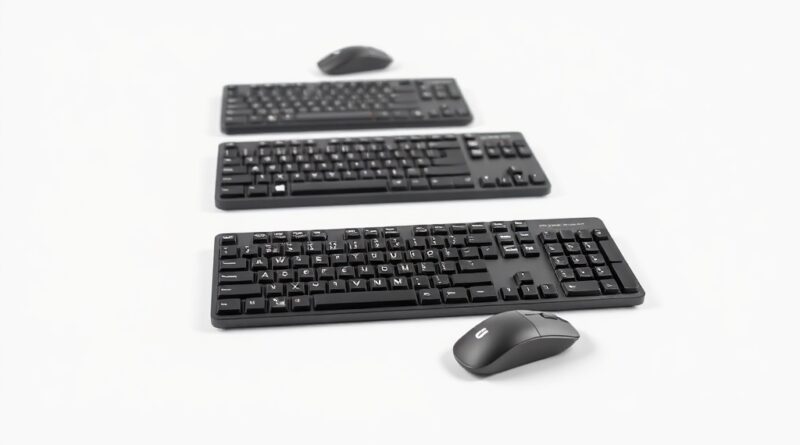
Wireless Keyboards and Mice: The Best Value Picks for 2026
As we navigate through 2026, the demand for high-quality wireless peripherals grows ever stronger, driven by the need for flexibility and functionality. Whether you are a professional writer, a gamer, or simply someone who appreciates a tidy workspace, investing in a reliable wireless keyboard and mouse combo is crucial. This guide digs deep into the best options currently available on the market, ensuring you get the best value for your money while enhancing your productivity and comfort.
Key Features & Specs
When selecting wireless keyboards and mice, several key features typically dictate the level of user satisfaction and performance:
- Typing Experience: The tactile feedback and comfort level of the keyboard keys can significantly affect typing speed and accuracy.
- Battery Life: A long battery life means less time spent on recharging, allowing uninterrupted productivity.
- Wireless Connectivity: Most models offer Bluetooth or USB dongle connectivity, providing flexibility for different devices.
- Customization: Advanced options often allow users to customize key functions and button assignments for maximum efficiency.
- Design and Ergonomics: A well-designed keyboard and mouse can reduce strain during prolonged use, ensuring comfort.
Top Recommendations
Based on verified sources, here are some of the leading wireless keyboards and mice worth considering:
- Logitech MX Keys S: Known for its excellent typing experience, this keyboard features Smart Illumination and a long battery life, making it suitable for both home and office use.
- Razer Pro Type Ultra: This keyboard stands out with its max-speed switches and an ergonomic design, catering well to productivity-focused users.
- Logitech MX Mechanical Combo: This combo set is ideal for those seeking a premium all-in-one solution, providing both high-quality keyboard and mouse functionalities.
Pros and Cons
Logitech MX Keys S
- Pros:
- Excellent battery life, often lasting months on a single charge.
- Smart Illumination automatically adjusts to your environment.
- Comfortable and quiet typing experience.
- Cons:
- May not have as many customizable options as gaming-focused keyboards.
- Price may be higher compared to budget options.
Razer Pro Type Ultra
- Pros:
- Fast and responsive key switches for a quick typing experience.
- Bluetooth and USB connectivity for multiple device compatibility.
- Comfort-focused design with a good wrist rest included.
- Cons:
- The learning curve for users not accustomed to gaming keyboards.
- It might be expensive for those who do not require advanced features.
Logitech MX Mechanical Combo
- Pros:
- Combines a top-tier keyboard with a responsive mouse for excellent value.
- Solid build quality with a professional aesthetic.
- Cons:
- Can be considered pricey compared to individual, budget-friendly options.
Real-World Usage Scenarios
When selecting the right wireless keyboard and mouse, consider your primary usage scenarios:
- Office Work: The Logitech MX Keys S offers an exceptional typing experience for office professionals, with features that prioritize comfort and efficiency.
- Gaming: For gamers, the Razer Pro Type Ultra provides responsiveness and customizable features suited for high-performance gaming sessions.
- Casual Use: For general use, such as browsing the web or watching videos, the Logitech MX Mechanical Combo offers a balanced experience with both quality keyboard and mouse.
Price Comparison
Understanding the pricing tiers can help you make an informed decision based on your budget:
Budget Tier
While highly reputable options exist within this category, users typically sacrifice some features:
- Basic wireless keyboard and mouse combos can start from $30 to $60.
- Brands like Logitech often introduce lower-cost models that maintain quality but may lack advanced features.
Mid Tier
This is where you start to find more robust options:
- The Logitech MX Keys S and Razer Pro Type Ultra generally range from $100 to $150.
- These options offer excellent typing experiences and better build quality.
Premium Tier
For those who want the best:
- The Logitech MX Mechanical Combo typically retails around $200.
- At this price point, you receive high-quality materials, ergonomic designs, and exceptional performance.
Verdict and Recommendations
Based on our analysis, if you prioritize a superior typing experience and excellent build quality, the Logitech MX Keys S is a standout choice for professionals and frequent typists alike. For gaming enthusiasts, the Razer Pro Type Ultra fulfills the need for speed and customization without sacrificing comfort. Finally, for those looking for comprehensive value in one package, the Logitech MX Mechanical Combo offers an unbeatable combination of performance and quality.
Each of these products presents a fantastic option depending on your specific needs, ensuring that whether you’re working, gaming, or simply browsing the web, you do so with comfort and efficiency. Dive into the world of wireless peripherals and choose the option that best suits your lifestyle. You won’t be disappointed with these industry-leading selections!
Disclosure: This post contains affiliate links. We may earn a commission at no extra cost to you. | Hinweis: Dieser Beitrag enthält Affiliate-Links. | Nota: Questo post contiene link affiliati.